Skip to content

Microsoft Copilot for Microsoft 365

Work smarter, be more productive, boost creativity, and stay connected to the people and things in your life with Copilot—an AI companion that works everywhere you do and intelligently adapts to your needs.

What is Microsoft Copilot?

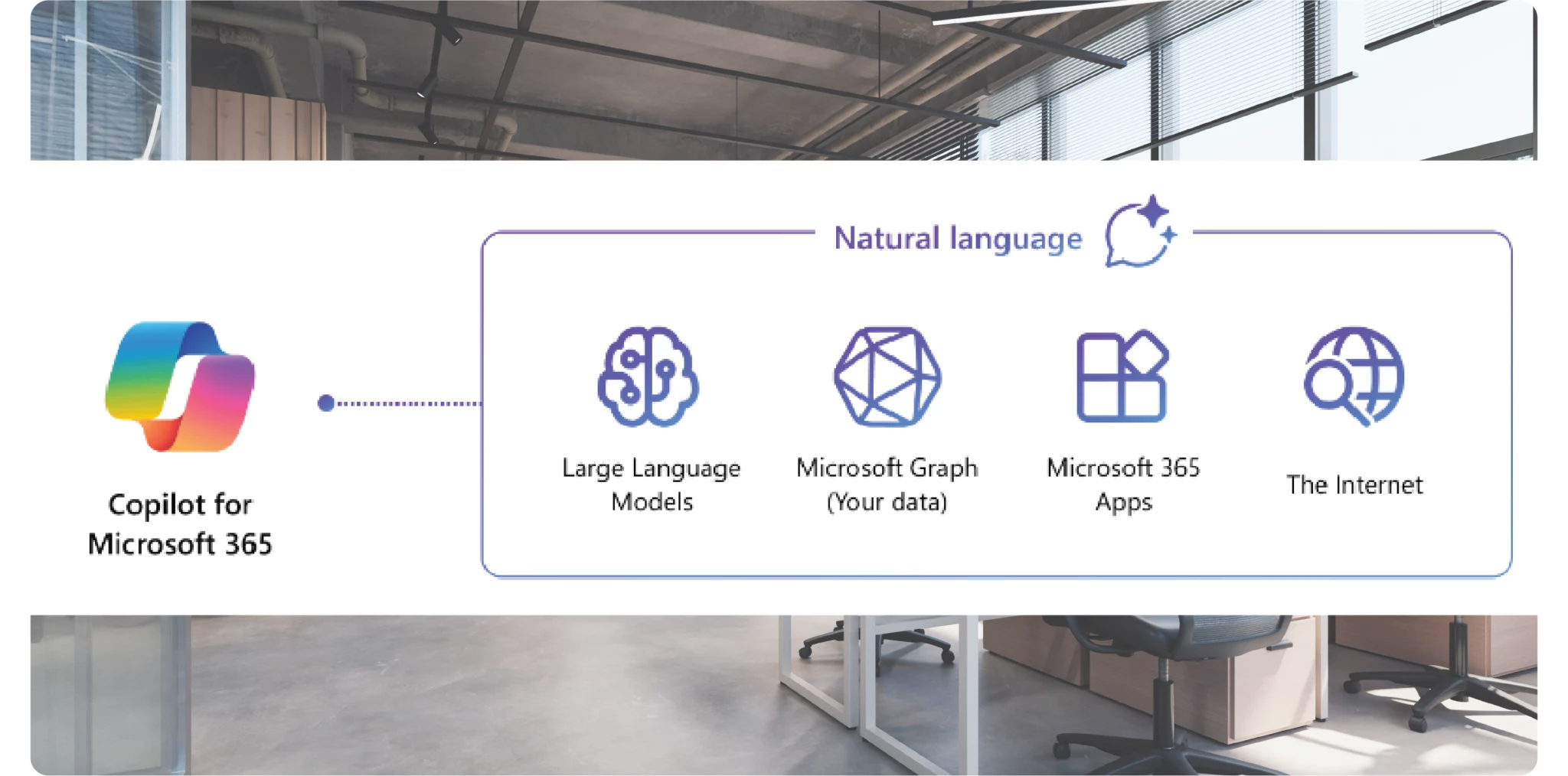
Copilot is comprised of a suite of services which empower content and app creation, data analysis, customer engagements and business functions. This is made possible by connecting your organisation to large language models (ChatGPT), referencing your internal data, integration to Microsoft applications and 3rd party functions such as CRM and company websites.

Copilot can help every type of user within an organisation to achieve something new, or, significantly shorten the amount of time typically associated to daily tasks.
Enquire today

What applications does Copilot integrate with?

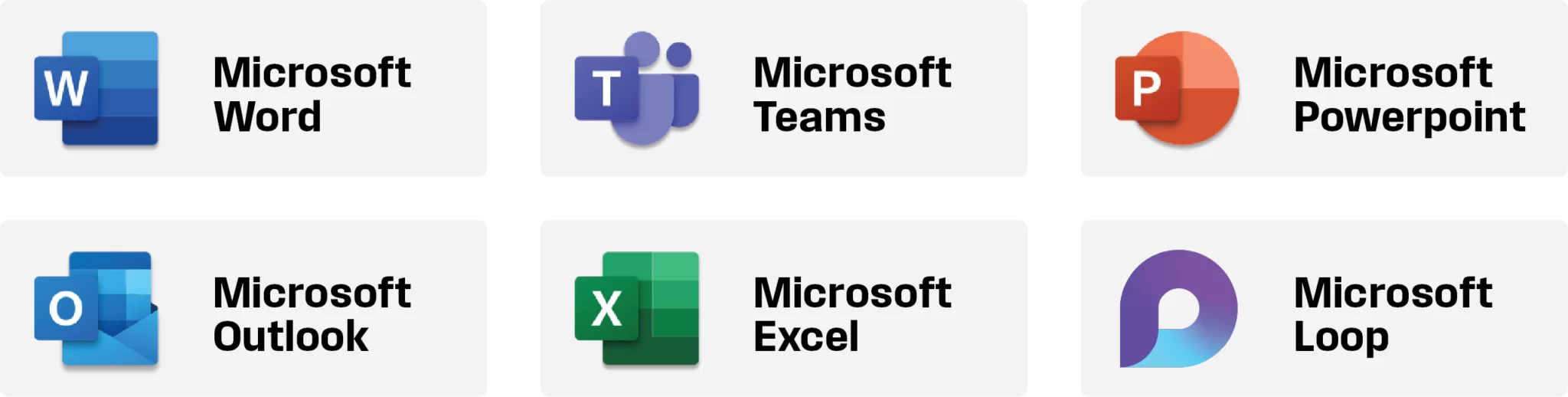
Copilot integrates seamlessly with a variety of Microsoft applications, enhancing productivity and collaboration across teams. By providing real-time assistance and insights, Copilot streamlines workflows, making it easier to create, edit, and manage documents, spreadsheets, and presentations.
Examples of Copilot in use.

Microsoft Word

Use Copilot prompts to generate content from scratch, then, amend wording to be more/less formal, expand content or make it more concise. Copilot also learns from your feedback, preferences and adapts to your writing style and voice. Once created, Copilot can then take the content and turn it into a PowerPoint presentation.

Microsoft Excel

Create, Edit and Understand. Users can interrogate spreadsheets to look for trends, transform raw data into charts for ease of view or create spreadsheets from scratch by interrogating data within your files or applications such as CRM. Complex formulas can be hard to generate without the right knowledge, leverage Copilot prompts to achieve this within a fraction of the time.

Microsoft Teams

Your meetings and phone calls will never be the same. Leverage Copilot within Teams to bring you up to speed if arriving late, summarise key action points against participants, gauge the mood and automate note generation by transposing content into a Microsoft application of your choice. Combine with features include live captions and transcription for a truly modern meeting standard.

Personalised assistance

Adaptive Learning

Copilot learns from user interactions and preferences, providing personalised recommendations and assistance based on individual needs and habits. This makes the tool more effective over time and better suited to specific business contexts.

Customisable Workflows

Users can customise Copilot’s functionality to align with specific business processes and workflows, ensuring that the tool adapts to and enhances existing practices rather than disrupting them.

Third-party integrations

Copilot can integrate with a range of third-party applications and services, extending its capabilities beyond Microsoft 365 and offering a more comprehensive solution for business needs.

Want to learn more?

Microsoft Copilot offers a robust set of features and benefits that enhance productivity, collaboration, and data management within the Microsoft 365 ecosystem.

By automating routine tasks, providing intelligent insights, and facilitating seamless teamwork, Copilot empowers businesses to operate more efficiently and effectively. Explore the potential of Microsoft Copilot and elevate your business to new heights.

Ready to see how Microsoft Copilot can transform your business operations? Contact us to learn more or schedule a demonstration to experience Copilot’s capabilities firsthand.

Download our checklist

    See Microsoft Copilot in action.

    Speak to one of our Microsoft Specialists about how Microsoft Copilot can increase your business efficiency.

    Our Microsoft Services

    Discovery Workshops

    Our Discovery Workshops provide tailored consultancy on Microsoft technologies, helping you understand which services are aligned with your requirements, and assist with project design and implementation if required.
    Explore service

    Microsoft Security

    Microsoft Security offers robust protection for your data and applications, using advanced threat detection and identity management to safeguard your business from cyber threats.
    Explore service

    Subscription Cost Management

    Our Cost Reduction and Management services optimise your Microsoft investments, identifying savings opportunities and enhancing the value of your Azure and Microsoft 365 usage.
    Explore service

    Risk Monitoring

    Microsoft Risk Monitoring is a comprehensive approach to identifying, managing, and mitigating risks within an organisation’s IT environment. As businesses grow the need to proactively monitor potential risks becomes crucial.
    Explore service

    Microsoft 365 for Business

    Microsoft 365 for Business offers a comprehensive suite of productivity tools, enabling seamless collaboration and secure remote working for your entire organisation.
    Explore service

    Microsoft Copilot

    Microsoft Copilot uses AI to automate tasks and provide intelligent insights, enhancing productivity by enabling your team to work more efficiently and creatively.
    Explore service

    Microsoft Backup

    Our Microsoft 365 Backup provides automated daily backups and secure recovery for your Microsoft 365 data, including Exchange, SharePoint, OneDrive, and Teams. Protect against data loss from human error or malicious activity with reliable, comprehensive backup solutions.
    Explore service

    The complete business technology solution.