If your business uses Microsoft 365, Copilot is changing. From 1 December, Microsoft is launching new Copilot plans for businesses, and pay-as-you-go billing will be switched on by default.
The reason is Cowork and agents. These are the parts of Copilot that take whole jobs off your hands, and more and more businesses want to use them. Microsoft wants them ready to go from day one. That’s good news if you’re keen to get more from AI, but it also means spend can start from day one.
Below, we explain what Cowork and agents can do, with some examples, what the change could mean for your bills, and what to do before 1 December.
From answering questions to doing the work
Until now, most people have used Copilot like a very clever search box. You ask it to summarise an email thread or draft a paragraph, it answers, and you take it from there.
Cowork and agents work differently. Instead of helping with one step, they take on the whole task. That’s the shift Microsoft is betting on, and it’s what’s behind the billing change.
Microsoft is also bringing its AI tools for work together under one name, the new Microsoft Copilot. Cowork, agents, Code and Work IQ, which grounds Copilot in your Microsoft 365 data, all now sit inside it.
Cowork: hand it the work
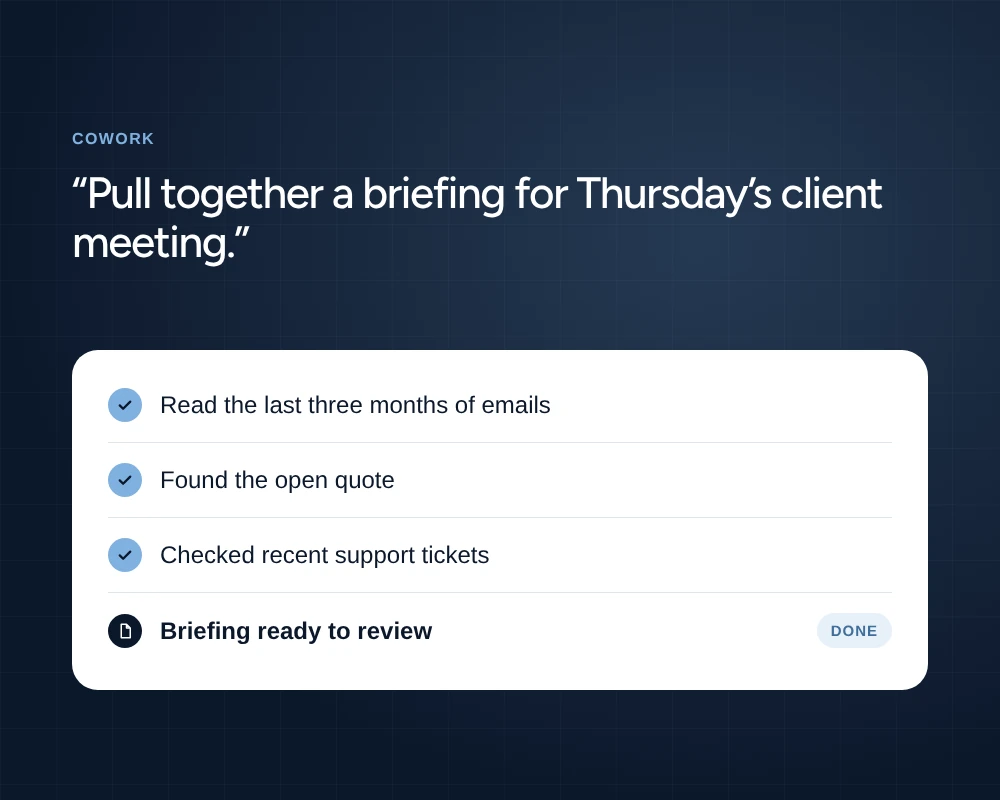
Cowork is Copilot for the longer jobs. You describe what you need, and it works through the steps on its own, drawing on your emails, files, meetings and chats while you get on with something else. When it’s finished, you review what it’s produced and make any changes.
Here’s what that could look like:
- Meeting prep. Ask it to pull together a briefing for Thursday’s meeting with a client: the last three months of emails, the open quote and any recent support tickets. It gathers everything into one document, ready to read before you walk in.
- Multi-site reporting. A dental group could ask Cowork to collect each practice’s monthly figures from their spreadsheets and turn them into one board report, with the practices that need attention at the top.
- Proposals and tenders. Give it the tender document and a few of your past bids, and it drafts a first response for your team to review, with any gaps flagged.
- Wrapping up a project. Ask it to go through a project’s files and emails, list every action that’s still open, and draft a follow-up to each person who owns one.
Agents: automate the repeat jobs
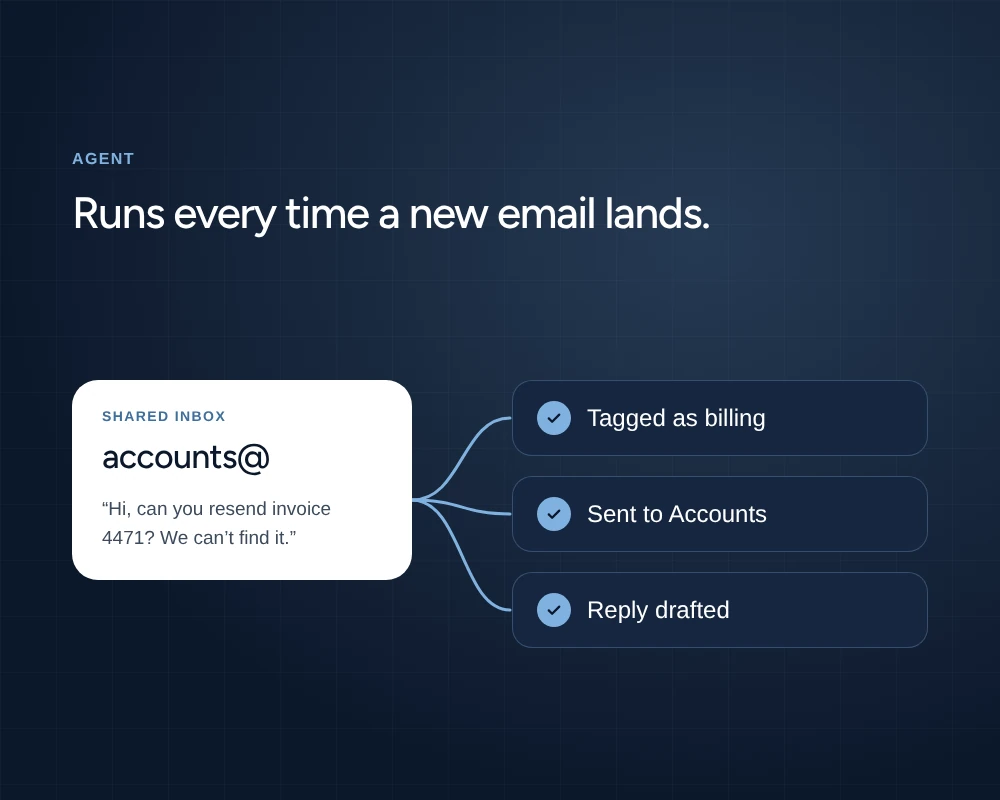
Where Cowork handles a one-off piece of work, agents look after the jobs that come round again and again. You set an agent up once, tell it what to do and what it can access, and it runs every time it’s needed, across Microsoft 365 and the business tools you already use.
Some examples:
- A shared inbox that sorts itself. An agent reads everything that lands in info@ or accounts@, tags it, passes it to the right person and drafts replies to the common questions.
- New starter onboarding. When a new starter is added, an agent sends their welcome pack, books their induction meetings and sets up their first-week checklist.
- After every sales call. An agent writes up the Teams meeting notes, updates the customer record and drafts the follow-up email for the account manager to check and send.
- Policy questions answered. Staff ask an agent about holiday, expenses or IT policy, and it answers from the documents already in SharePoint, so HR and IT field fewer of the same questions.
Each of these saves a little time on its own. Across a whole team, every week, it adds up.
There’s a catch, though. Every time Cowork or an agent runs, it uses Copilot Credits, and that’s where the billing change comes in.
Why pay-as-you-go is switching on
Cowork and agents are charged in Copilot Credits as they’re used, on top of the Copilot licence. Those credits are billed through a pay-as-you-go account.
Until now, that account wasn’t set up by default. Someone had to create it before anyone could use Cowork or agents, and for a lot of businesses that step never happened. To Microsoft, it was a barrier between people and the features they want most.
So from 1 December, new Copilot Business plans come with pay-as-you-go already in place. Your team can start using Cowork and agents on day one, and the credits they use start adding up on day one too.
What it could cost
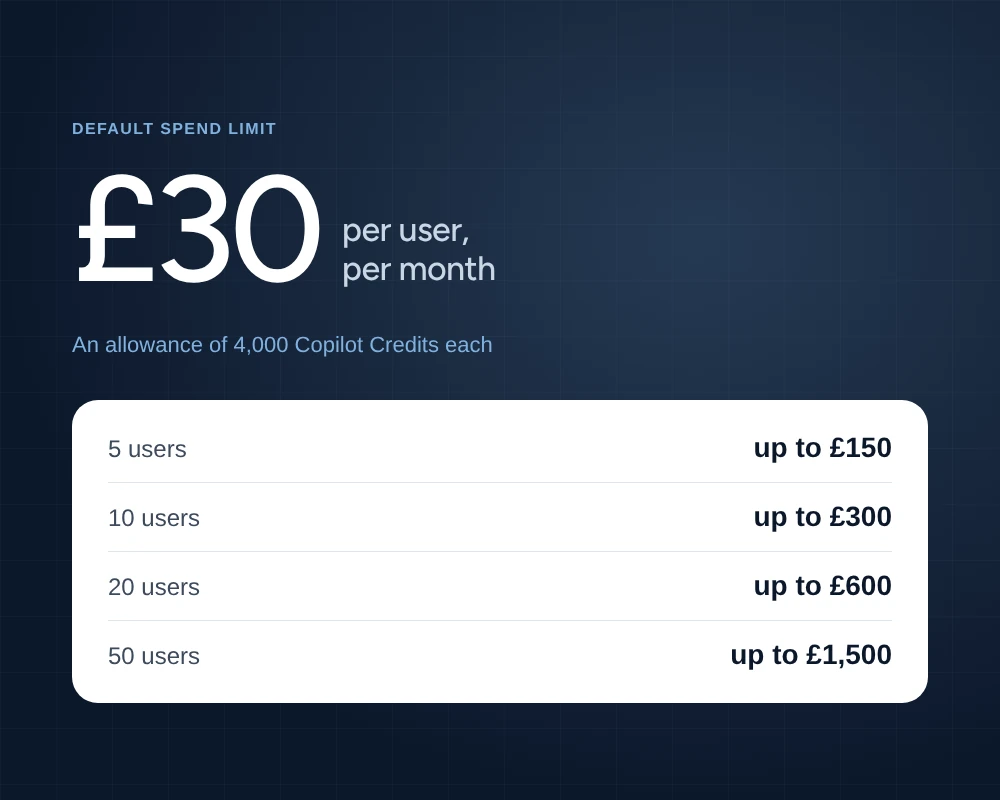
Each new Copilot Business licence comes with a preset pay-as-you-go spend limit of around £30 per user, per month. That’s an allowance of 4,000 Copilot Credits per user, on top of the licence itself.
£30 doesn’t sound like much. But it’s per person, every month, for everyone with a licence. For a team of 20, that’s up to £600 a month in credits.
These figures assume everyone uses their full allowance, which won’t always happen. Some people will barely touch Cowork, while others will have agents running all day. The point is that the spend can be there before anyone has decided it should be.
The other thing to watch is control. An agent can reach company data and run processes in the background, and one that nobody has signed off is a security risk as well as a cost. Agents need the same rules as any other system in your business: who can build them, what they can see, and who approves them.
Everything else changing on 1 December
The plans are also getting new names. Microsoft 365 Copilot becomes Microsoft Copilot, and Microsoft 365 Copilot Business becomes Microsoft Copilot Business.
They’re new plans in their own right, too. The biggest difference is that Copilot can now be bought on its own, so you no longer need a Microsoft 365 licence first. Businesses on Google Workspace or other systems can use Copilot without moving everything to Microsoft.
The current plans can be bought until 30 November. The new plans launch on 1 December, with pay-as-you-go on by default for Copilot Business, which is for businesses with up to 300 users.
Already have Copilot?
Nothing changes for now. Your existing plan carries on, and renewals and seat changes work as normal. The default pay-as-you-go setup only applies to new Copilot Business plans from 1 December.
Five things to do before 1 December
None of this is a reason to hold back on Cowork and agents. It’s just worth having a plan before the first bill arrives.
- Decide who needs Copilot. Start with the people who’ll get the most from Cowork and agents, such as finance, operations or sales support, rather than licensing everyone at once.
- Agree a budget for credits. Decide what you’re comfortable spending each month, and check the spend limit on each licence matches it.
- Keep an eye on usage. Check how many credits are being used in the first couple of months, so you can spot heavy use early and adjust.
- Put rules around agents. Agree who can create agents, what data they can reach, and who signs them off before they go live.
- Start with a pilot. Pick one team and one or two of the jobs above, try them for a month, then roll out what works.
Want to see what Cowork and agents could do for you?
Miles Fisher, Head of IT Solutions, Global 4A number of clients have asked me about Cowork and agents in recent months, and it’s easy to see why. I can show you what they could do for your team, how to switch them on safely, and how to keep spend where you want it.
Speak to your Account Manager, call us on 01403 272910, or book a chat with Miles below.